Author Archives: Paul Bradshaw

Pluck out your eyes: the anatomy of a super injunction

Super injunctions – those that don’t just order a newspaper not to report something, but forbid it from reporting the existence of the reporting restrictions – are on the rise.

The Guardian has been served with at least 12 notices of injunctions that could not be reported so far this year, compared with six in the whole of 2006 and five the year before.

And Carter Ruck continue their kafkaesque moves to stop reporting about Trafigura and the Minton report (their latest attempt is to write to Parliament saying it can’t discuss the matter, at the same time as saying they’re not trying to forbid anyone reporting what Parliament discusses. That’s because there wouldn’t be anything to discuss).

So what does a super injunction look like? I’ve got hold of one – I obviously can’t say which and I’ve had to leave out the juicy bits. But here’s what it says. Continue reading

How to make interactive geographical timelines using Google Calendar and Yahoo Pipes

I was recently given a task where my job was to create a calendar holding around 50 events. Each event also needed to be mapped, and have a corresponding blog post.

Mapping calendar entries made me think, if this could be used for other stuff than simply putting events on a map, – which is quite useful in it’s own way. I thought it would be cool if you could create an interactive map-timeline, controlled dynamically by a (shared)calendar.

Yahoo Pipes by default uses Yahoo Maps, which is great when it comes to narratives. As you can see from the map below (If you don’t see it, click here), each entry has a little arrow that let’s you navigate from marker to marker in a specific order. Each marker also has a number indicating it’s place in a sequence. This is nothing more than entries in a Google Calender with time/date stamps, geo info and a description, mapped automatically using Yahoo Pipes.

{“pipe_id”:”ed13a198a2a83050dd4ace10d12eae16″,”_btype”:”map”,”pipe_params”:{“Curl”:”http://kaspersorensen.com/wp-content/uploads/files/icalyahoopipes.ics”}}

Here’s how you do it.

1. Create a Google Calendar

Simply go to your Google Calendar and create or import a new calendar. You can do this from the settings page under calendars.

2. Make it public

You need to make the calendar public, otherwise Yahoo Pipes won’t have access to it. You can do this while you create it, or afterwards by ticking the box ‘Make this calendar public’ from the sharing settings on your specific calendar. To access the settings for a specific calendar, you click the little arrow in the box on the left hand side that contains your calendars (My Calendars).

3. Create events

Now you simply start adding events to your calendar. Specify what happened, where it happened, when and add the description. You don’t have to add the entries chronologically, they will be sorted by date/time automatically.

4. Feed the iCal file to the Pipe

Go to your calendar settings page, not the general Calendar settings, but the settings for your specific calendar. You will see a section called ‘Calendar address’ with three buttons. Click the green ICAL button and copy the link that pops up. Now go to Mapping Google Calendar Events Pipe and paste it into the ‘Calendar iCal URL’ field and hit ‘Run Pipe’. – Your events are now mapped.

5. Embed on your website

To embed the timeline/map on your website, simply select ‘Get as badge’ just above the map. This will allow you to insert it on your blog or website.

I’m sure there are ways to make this more stable. So if you know how to optimize the pipe, please feel free to do so and let me know.

As Google Maps is already a part of Google Calendar, you would think that there was a nifty way to quickly put a whole calendar on a map, but no. And after failing to use what looked like a saviour, I bumped into a post by Tony Hurst on how to display Google Calendar events on a Google Map. Unfortunately it turns out that the XML feed Tony uses, only parses the 25 most recent calendar entries.

Google Calendar releases their event-entries in iCal format which contains all events. And with a little customization of Tony’s pipe, I managed to come up with a way to map all events from a calendar.

I think this could be potentially useful for developing stories, especially if you can collaborate on the calendar. You end up with data that can be used for nearly anything, not just maps. And if locations aren’t relevant for the story, you could simply take your iCal file and make a normal timeline.

85 wordpress plugins for blogging journalists

Having reached a potential plateau in my addiction to WordPress plugins* I thought I should blog about the plugins I use, those I’ve installed in preparation for potential use, and those I may install at some point in the future. Of the 85 or so plugins installed on my blog I ‘only’ have around 30-40 that are active – the rest have either been used in the past or are ready in case I need them at some point in future. Some are one-click installs; others you need to put PHP in your templates; instructions are generally given on the plugin page. I’d love to know what plugins you find useful on your own blog.

Content plugins

Add Sig allows you to add a custom signature to the bottom of posts – particularly useful if you have a multi-author blog.

Embed iFrames allows you to do just that – useful for embedding any content that uses iFrames, e.g. maps, spreadsheets, widgets etc.

Exec PHP allows you to execute PHP in blog posts. I’ve not had to yet, but you never know…

FeedWordPress is an aggregation plugin that pulls any RSS feeds you specify and publishes them on your blog. Any user clicking on a particular post will be taken to the original. This is very useful if you blog elsewhere or want to aggregate coverage of an event for an eventblog (although there are more specific packages for that now). Previously I’ve used it to pull posts from my Posterous blog so I can blog via email.

In Series is a great plugin if you’re writing a series – this creates a new box when you start writing a post that allows you to assign it to a ‘series’. Sadly the plugin site reports “There have been reports of minor breakage in WordPress 2.6, and complete failure in WordPress 2.7.” So I’m now trying out Organize Series and Series, which claim to do something similar.

Microkid’s Related Posts allows you to manually add related posts.

Postalicious will automatically publish your bookmarks (from deliciousma.gnoliaGoogle ReaderReddit, or Yahoo Pipes) to your blog. You can specify a particular tag, frequency etc.

Star Rating for Reviews allows you to give star ratings in any blog post – ideal for reviews.

Tagaroo will suggest tags based on the content of the post you’re writing, and related Flickr images you could use.

User Photo displays an image of the author next to the post (this takes some tweaking with the template code) – particularly useful for multi-author blogs.

XML Google Maps allows you to easily insert Google Map or Google Earth Plugin Maps into your blog.

Comment plugins

Spam filter plugin Akismet is an absolute must for any blog, filtering out obvious spam and holding back the dubious stuff for moderation.

BackType Connect publishes comments about your blog on other social media sites – so if someone comments on your post on Twitter, Digg, FriendFeed, Hacker News or Reddit and links to it this will pull it onto your site. This sounds like a great solution to a modern problem, but in practice it generally means lots of tweets saying the same thing – ‘here’s a blog post’, so I’ve disabled it until that is addressed.

Capture the Conversation is a similar plugin which uses your post tags to look for related tweets. This gives you more control but means the more tags you add the less likely it is to work, which obviously has implications for search engine optimisation – although you can change the settings to only look for the first tag. It appears to be particularly useful for ‘breaking news’ posts where people are talking about the issue on Twitter and you can see this from the post itself. Presentation could be better – you can customise this a little in settings too.

cForms II allows you to create multiple and customisable contact forms across your blog, including multiple forms on the same page. I’ve never had cause to use it yet, but it’s worth having just in case.

coComment simple integration (direct download) integrates your comments system with the coComment system so users can log in, tag and share comments and keep track of them via coComment.

Intense Debate Comments does the same for the comment management service Intense Debate. I seem to remember this was created for me by Intense Debate so I don’t have a download link, but I disabled the plugin when I realised it had accessibility issues, and made comments invisible from search engines.

DoFollow is a plugin which disables the default ‘nofollow’ setting on WordPress blogs (which tells search engines to disregard any links in comments). This means that links posted in comments benefit from ‘Google juice’. You can set the plugin to only remove ‘nofollow’ after a certain period of time so you can delete spam comments before then. I found that announcing the plugin attracted too many spammers, so I disabled it.

WP-FacebookConnect allows users to login and comment with their Facebook account and publish comments into their Facebook newsfeed. There’s some fiddling required.

outbrain allows users to rank blog posts – WP-postratings did something similar, as did WP-StarRateBox.

Seesmic WordPress plugin allows people to record video comments. I seem to remember this was the plugin that forced me to move to self-hosted WordPress and, amusingly, I’ve only ever had one video comment since.

Subscribe To Comments allows users to receive email updates when an individual post receives a new comment. Simple but extremely useful, and so far used by hundreds of visitors to the blog.

Top Commentators Widget shows which users comment the most on your blog. Sadly it only starts counting once installed, and the presentation needs some attention, so I disabled it, but it’s a nice plugin which showcases the biggest contributors.

WP-Forum creates a forum on your blog – instructions on the plugin page.

Blog management plugins

BackUpWordpress allows you to easily backup your WordPress database – a useful habit to get into in case something goes wrong with your blog hosting or you want to move your blog to another host. The plugin also allows you to schedule regular backups.

Cronless Postie allows you to publish blog posts via email. There are other ways to do this – for example, emailing your post to Posterous and then pulling the RSS feed from there using a syndication plugin like FeedWordPress (see above).

mobileadmin makes it easier to manage your blog via mobile phone as it “gives a mobile-friendly admin UI to browsers by user agent. Includes support for iPhone/iPod-Touch”. However, this is currently disabled as activating it triggers a fatal error (who died?)

Ozh’ Admin Drop Down Menu changes the admin view on WordPress so that it uses drop-down menus, making it easier to manage.

Plugin Manager “lets you to view, download and install plugins from wordpress.org from an AJAX’ed interface, instead of manually downloading, extracting and uploading each plugin.” It’s really very very good.

podPress is a plugin to use WordPress for Podcasting. I’ve never particularly used this, but useful to have if I ever need it.

Post Template allows you to create templates for posts with the same structure – perfect for reviews and series, and also useful to keep a multi-author blog consistent.

Role Manager allows you to assign different levels of access to different contributors to your blog – for example, only allowing a user to contribute to a particular category.

Textplace is “a plugin to include commonly used text across multiple posts, pages and templates”.

WordPress Automatic Upgrade allows you to upgrade to the latest version of WordPress with a few clicks. Essential.

WP Security scans for security vulnerabilities in your WordPress installation.

Presentation and widgets

Bunny’s Print CSS creates a stylesheet for printing so users printing pages from your blog can avoid endless pages of widgets, comments or other page furniture (including design elements).

Easy Popular Posts shows you your most popular posts – useful to install in a sidebar (you’ll need to put a line of PHP in the sidebar template for this).

Get Recent Comments provides extra customisation of the comments widget.

Global Translator “translates a blog in 34 different languages (English, French, Italian, German, Portuguese, Spanish, Japanese, Korean, Chinese, Arabic, Russian, Greek, Dutch, Norwegian,…) by wrapping four different online translation engines (Google Translation Engine, Babelfish Translation Engine, FreeTranslations.com, Promt).” The results are as patchy as you’d imagine, but take a stage out for users who may use Google Translate to read your blog.

Hot Friends creates a blogroll/friends widget based on the number of comments a blog owner makes. I’ve never had the time to set this up properly and it may not suit the nature of the OJB, but it sounds interesting.

KB Advanced RSS Widget gives you additional control over the RSS widget, e.g. which fields of the feed to display and how to format them.

KB Countdown Widget counts “the years/months/days since, until, or between events. Optional bar graph for tracking progress between two dates.” Useful if you’re blogging up to an event, or setting yourself a challenge, or launching something.

Random Redirect allows users to be taken to a random post from your blog.

Related Ways to Take Action “makes it super easy to connect your readers to ways to take action based on the content of your posts. The Plugin identifies the top three keywords for each post and then searches for related campaigns from from Change.org, GlobalGiving.com, Idealist.org, DonorsChoose.org, Kiva, Care2 and over twenty other social change websites. It then automatically loads the top three campaigns for those keywords at the bottom of each of your posts.” In reality the guesses the plugin makes can be a bit hit-and-miss, but on a more campaign-based blog they may be more accurate.

Sort by Comments “Changes the order of posts so that the most recently commented posts show up first. Also displays last comment with the posts.”

Theme Switcher allows users to switch themes. You need to put a line of code in your sidebar to create the dropdown (instructions buried here) – remember you’ll have to do this in every theme you have installed so that users can switch back. You’ll also need to make sure that you’ve deleted any themes that don’t work or you don’t like, as this will pull them all up by default.

WordPress Mobile Edition shows mobile visitors a mobile version of the site. You have to install the theme as well.

WP Web Scraper is “an easy to implement web scraper for WordPress. Display realtime data from any websites directly into your posts, pages or sidebar.” I’ve not had cause to use it yet, but could be very interesting.

RSS and SMS

FeedBurner FeedSmith makes sure that users subscribing to your RSS feed are redirected to your Feedburner feed, allowing you to keep track of numbers of subscribers, etc.

RSScloud is a plugin that allows users to be more quickly updated when you post something. Only one RSS reader supports it, but the technology appears to be gathering speed.

RSS Feed Signature allows you to add a customised signature to the end of your RSS feed. Sadly, the developer link appears to be dead. This is the only alternative I can find.

SMS Text Message allows users to receive text updates from your site – presumably in the US only, where the receiver pays for texts. It creates a widget where users can enter their phone number to subscribe. I’ve just installed this so let me know if it works.

Analytics, SEO and Social Media Marketing

All In One SEO Pack is another top-of-the-list plugin that ensures your blog content is optimised for search engines. In addition to the general settings page this adds a box below your draft posts where you can customise the title, description and metatags on individual posts.

Digg This detects if the user has come from Digg and displays a Digg This badge for them to Digg the story. You’ll have to add a line of PHP in your post template.

Google Analyticator makes it easy to enable Google Analytics on your blog and measure where visitors are coming from, what terms they are searching for, etc.

Google News Sitemap creates a sitemap to help Google News better index your site.

Google XML Sitemaps does the same: generates “a sitemaps.org compatible sitemap of your WordPress blog which is supported by Ask.com, Google, MSN Search and YAHOO”

Landing Sites shows the user posts related to the search they’ve made that brought them to your site.

Permalink Redirect ensures that only one URL is used for each post and users (including search engines) arriving at others are redirected accordingly.

ShareThis creates a button at the bottom of posts for users to bookmark that post on sites like Delicious, Digg, Stumbleupon, Facebook etc. as well as email it to a friend. For me this replaced similar plugins: SociableWP-Email and wp-notable.

TweetMeme Button creates a badge at the top of each post showing how many times it has been tweeted and allowing the user to retweet it themselves.

WordPress.com Stats tells you how many people are reading, what they’re reading, and what searches brought them here.

WP Greet Box shows a different message to visitors “depending on which site they are coming from. For example, you can ask Digg visitors to Digg your post, Google visitors to subscribe to your RSS feed”

WP Super Cache makes your site faster. “If your site is struggling to cope with the daily number of visitors, or if your site appears on Digg.com, Slashdot or any other popular site then this plugin is for you.”

WP_DeliciousPost submits your posts and pages to Delicious, allowing you to include tagging and private links. WP_LinkTools does much the same.

Plugins to make money

Amazon Widgets Shortcodes adds a button to your post editor that allows you to easily insert an Amazon carousel, slideshow, or link to an Amazon product through your affiliate store – very useful if you’re reviewing products.

Buy Me A Beer places a widget at the bottom of every post and in the sidebar allowing users to donate to your PayPal account if they liked your post (there is also a ‘coffee’ option).

Paypal Widget does much the same, but without the rather more affable beer element. I’ve never had cause to enable this, but again, useful to have.

Register Plus creates an enhanced registration page for users to log on to your blog – this opens up opportunities for restricting access if that’s what you want. I never have, so I’ve never used it. The same developers have also made Donate Plus, which has similar potential. And SponsorMe is worth looking at too.

wpLicense-reloaded allows you to select a Creative Commons license for each blog post individually.

*When I started writing this post, it was 61. Some ‘plateau’. And if 85 isn’t enough for you, see my plugin bookmarks on Delicious.

Mugging the lawyers

If the famous media gaggers, the libel law firm Carter-Ruck, scourge of Private Eye, thought they’d scored another famous victory suppressing news (these guys are big on bragging) they hadn’t reckoned with social media.

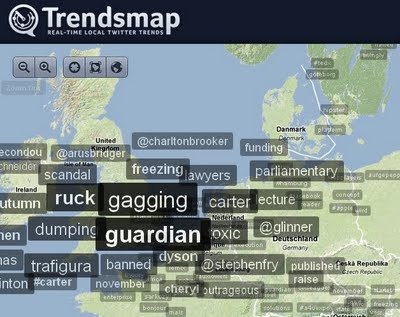
#trafigura is as I type the #1 trending topic on Twitter (that’s in the whole world). The Spectator has already broken the wall between what the blogs will say and what the print media thinks it can get away with … and many, many more people are now aware of the very story a very rich set of people running a polluting company is paying them – presumably – many millions to kill.

In a few hours American bloggers will start picking up on the story enmasse. What’s Carter-Ruck going to do then? As @ElrikMerlin just pointed out to me ‘this is Streisand Effect in action’ – something which I have blogged about before.

When Uzbek billionaire Alisher Usmanov tried the same trick, and created the same effect, it generated this quote from Boris Johnson (one of those inadvertently whacked by Usmanov’s ‘take-down’ action):

We live in a world where internet communication is increasingly vital, and this is a serious erosion of free speech.

This is what Carter-Ruck did: Continue reading

Text still rules

This is a really excellent reminder of a web basic, which is unfortunately often forgotten as websites add and add and add and in the process become bloated.

“Think of your Web audience as lazy, selfish and ruthless,” said Michael Gold, West Gold Editorial principal quoting usability guru Jakob Nielsen’s apt description of today’s impatient, task-oriented Web audience during his remarks at a recent ONA panel. “Web audiences are on a mission—they’re task-oriented.”

Text matters on the Web from Martin Ricard on Vimeo.

HT: ONA

@Guardiantech accounts for 78% of the growth in national newspaper Twitter accounts

National UK newspapers had 1,665,202 followers of their Twitter accounts at the start of October – an increase of 193,266 on September 1st (when they had 1,471,936).

The rate of growth has slowed, however. This is a monthly increase of 13.1%, compared with 17% from August 1 to September 1, and also from July 1 to August 1.

What’s more, 151,555 of the increase (or 78% of the total) is down to just one account – that of @guardiantech (which owes its popularity to its place on the Twitter Suggested User List). Indeed, of the 131 accounts I’m tracking, 51 have fewer followers than me (@malcolmcoles)!

You can see the full table here, or below (although the iframe isn’t behaving properly, so you’re better off clicking here).
Continue reading

Fast Flip: The coolest web news application I never use

google-fast-flip

Last month at TC:50, Google unveiled their latest Google News effort called Fast Flip. News began dripping onto Twitter and soon I was playing around with it. I loved it right away.

Soon more people started hearing about it and did their own trials. Opinion was mixed. I remained steadfast in my love for it. I saw it as the “next step” in web news consumption. I still think that.

Thing is, I never use it.

I have re-visited Fast Flip since that first night, but it’s only been to see if there were features I had missed. My favourite aspect of it is that it allows me to deep-dive web sites, leading me to discover stories I otherwise never would have found. It’s especially useful for sites with large archives and numerous sections, such as NYTimes.com.

Picture 3

I also realised that Fast Flip is not best utilised on a laptop. If ever there was an application built with direct manipulation touch screen devices in mind, Fast Flip is it. The elegance of “flipping” through pages is lost on clicking. Using a finger to flip like you would a book page would feel much more natural.

I can envisage using Fast Flip more if I wanted to find out what I’m not seeing on NYTimes.com when I visit the web site. But for regular consumption, it’s either a half-baked idea, or way ahead of its time. At this point it’s hard to say.

Ultralocal Blogging Roundup. Talk About Local ’09, Guardian, Wired Mag

There have been several events and reports worthy of note in the last week in the world of local blogs and websites .

Wired Magazine Intelligence Briefing

Recently I gave an interview about current directions in the world of local blogging, for one part of a Wired Intelligence Briefing, to @jamiedouglas.

The whole presentation identified “10 current trends in 20 minutes”, which characterise our environment:

  1. We the people – isolation of the political class.
  2. Abundance creates scarcity of attention.
  3. Serendipity and shared experiences – where discovery happens.
  4. Everybody is local – enrichment of neighbourhoods.
  5. Collaborate and listen.
  6. The media is unpoliceable.
  7. Watch out, sport.
  8. Social networks have a half-life.
  9. Google’s Achilles’ heel.
  10. An era of etiquette.

Talk About Local ’09

Also worth a look is a report in the Guardian about the Talk About Local ’09 Unconference, held on Saturday 3rd October in Stoke-on-Trent:

Almost 100 people left their bedrooms, home offices and local community halls for talkaboutlocal’s inaugural unconference this weekend. Some attendees in Stoke-on-Trent are professional journalists, starting out on their own against a backdrop of local and regional press lay-offs and closures, some have a political cause to fight while others quite simply want to give a voice to a community not well-served by a newspaper industry retracting and centralising.

Definitive numbers of these hyperlocal sites are hard to come by but the website www.nutshell.org.uk has already listed more than 50.

The event organiser, William Perrin, from TalkAboutLocal.org says: “People have always wanted to get involved to make things better and suddenly they can do it for themselves. The web 2.0 tools provide platforms that are incredibly easy to use, without any real cost.”

In the Guardian, the report author mentioned the practice of Stoke City Council to treat “Citizen Journalists” as being different from ‘real journalists’:

The town hall which PitsnPots set up to scrutinise has been less welcoming. Stoke Council’s head of PR and communications, Dan Barton, explained that bloggers would not be invited to briefings and are excluded from sitting at the press table in the council chamber.

“Opinion should be encouraged but we do draw a distinction between what is news otherwise we are in danger of de-valuing the role of journalists,” he said.

The National Association of Local Councils (NALC) is currently updating its guide to include the rise of social media networks but looks unlikely to change the definition of who gets treated as a journalist. A spokeswomen said: “We can say anecdotally that we would encourage councils to treat only accredited journalists as journalists. And treat citizen journalists as citizens. But that does not stop citizen journalists making enquiries in the normal way … And there is no reason why media releases cannot be available to everyone as they are public documents.”

Reflections

The comment from Dan Barton seems to imply that the content of newspapers is “news, not comment”, and that the content of blogs is “comment, not news”.

I’d suggest that this is a ludicrous position to take, bearing in mind the extent to which news and opinion are mixed in the local (and especially the national) media, and also the miraculous range of howlers and planted stories which appear regularly. To mention just two that I have covered in the the last 5 weeks, remember the non-fact-checked Mayor of Baltimore spoof, which appeared in half a dozen national media outlets, and the Alan Sugar on Terrorism Death List story, which was invented out of the air and swallowed by the Sun?

I’d assert the opposite position: that thoughtful and careful bloggers, whether our beat is “local”, “subject-based”, “professional”, “political”, “technical”, or anything else, have potential to increase significantly the range and quality of niche coverage, due our tighter focus and our freedom from a need to work tightly to deadlines and volume of output requirements.

There are two clusters of issues that we need to address:

  1. We need to make sure that we do work to a level of quality which is equivalent to, or better than, our colleagues whom Mr Barton is willing to name as “journalists”.
  2. We need to make sure that it is impossible for the councils we are scrutinising to refuse to accredit us for any reason.

I’ll cover these issues more in a future article, but I think it is time for local bloggers to go on the front-foot; the decline in local media has left the gate wide-open.

Two places to start are firstly to write for other outlets, such as your local newspaper and sites which are regarded as “media” not “blogs”, and to see if you can get a UK Press Card. There are a range of bodies which issue UK Press Cards, and some people may come within the rules who do not realise that they do so.

Matt Wardman is an online consultant, and edits the Wardman Wire group political blog and Nutshell directory of local blogs and websites.

Arriving at an ideal social-media policy for journalism, Part 1: Perspectives from journalists and news organizations

Much has been said about the Washington Post’s now-infamous incident with issuing restrictive social-media guidelines after Managing Editor Raju Narisetti expressed his not-so-subtle views on war spending and public-official term limits on his Twitter page. Narisetti’s own first reaction to the policy was another tweet: “For flagbearers of free speech, some newsroom execs have the weirdest double standards when it comes to censoring personal views.” He since retracted and shut down his Twitter page on account of “perception problems.”

The Post’s own media reporter Howard Kurtz poked fun at the incident with this tweet: “I will now hold forth only on the weather and dessert recipes.” He then gave a half-hearted, almost contrived endorsement to his organization’s policy, calling the furor surrounding the incident “much ado about nothing” while emphasizing that social media are important channels for communication with readers. The newspaper’s technology writer Rob Pegoraro was also quick to insist that journalistic interactions through social media are indispensable.

It is hard to deny the fact that opiners are neatly divided between journalists and news organizations–in other words—between those that use social media and those that want to regulate it.

The very essence of social media is that it offers readers a glimpse of the “person” behind the journalist. Citizen journalism pioneer Dan Gillmor looks at social networks as an opportunity for news organizations “to show readers that news is not a commodity produced by a faceless institution but a rich, collaborative process.”

For instance, Post political reporter Chris Cillizza, whose Twitter account, “The Fix” is named after his blog at the paper, entertains readers not only with snarky political comments but also by finding humor in life’s little trials, and his Twitter page has been surprisingly—and comfortingly—unhindered by all the drama. If his tweets were to trickle down to news article URLs in keeping with the Post’s new regulations, I wouldn’t follow him. It’s safe to say, neither would 14,540 others.

Despite these differences, even old-school news organizations agree that social media are important. But can managers, editors, reporters and readers agree on a social media policy? To that end, it would, perhaps, be helpful to analyze guidelines that have so far been proposed by different news organizations, and more importantly, how they have been received.

The policies

The Wall Street Journal laid down its own set of social-media regulations over the summer to much opposition.“Sharing your opinions,” the Journal said in an e-mail to staff members, “could open us to criticism that we have biases and could make a reporter ineligible to cover topics in the future for Dow Jones.” A tad more ridiculously, it continued, “Openly “friending” sources is akin to publicly publishing your Rolodex.”

Apart from confidential sources that any journalist would be expected to protect through sheer common sense, social media interactions with reporting contacts can only serve to enrich the exercise of newsgathering, and allow a more transparent process while at it.

Continuing in the same vein of going against the grain of journalistic transparency, the WSJ guidelines also insist that reporters not “detail how an article was reported, written or edited.” Social media guru Jeff Jarvis rightfully points out that these rules challenge the very idea of the collaborative nature of journalism that is promoted by online media.

The ability of a journalist to interact with his audience, be it by seeking story ideas, soliciting sources or sharing the newsgathering process is one of the main advantages of social media. Time’s James Poniewozik astutely calls blogs and social networks, the “DVD director’s cut with commentary.”

Perhaps, one of the most ridiculous of guidelines comes from the AP, which over the summer issued a set of rules, among them, asking employees to control not only what they said on social networks but also what their friends and acquaintances said: “It’s a good idea to monitor your profile page to make sure material posted by others doesn’t violate AP standards; any such material should be deleted.”

The AP’s rules came in the aftermath of one of its reporters posting a critical comment about the McClatchy newspaper chain on his Facebook profile. Mashable’s Ben Parr expressed rightful outrage at this, pointing to the ridiculousness of holding an employee accountable for another individual’s words.

Some guidelines, of course, are acceptable, though none seem to require much more than common sense and ethical awareness on the part of the reporter. For instance, the WSJ’s following rules:

  • “Don’t recruit friends or family to promote or defend your work,” or
  • “Don’t disparage the work of colleagues or competitors or aggressively promote your coverage.”

Also reasonable are rules curbing the sharing of confidential company information. “Posting material about the AP’s internal operations is prohibited on employees’ personal pages” is acceptable as a standard for all staff members at an organization, not exclusively for journalists.

This was one of the reasons why the NYT found itself in a tight corner earlier this summer, when its reporters tweeted about internal discussions at the paper. The Timessocial-media rules are actually more reasonable than most, merely asking reporters to avoid conflicts of interest, maintain political impartiality, and exercise good judgment.

But when a group of journalists decided to broadcast proceedings from an internal staff meeting, the Times decided to throw down the gauntlet. Craig Whitney, the standards editor, made a valid point: “When you’re in an internal meeting that is not public where you’re discussing policy, you would no more Twitter it than pick up the cell phone or call up one of your friends and say, ‘Hey you’ll never believe what (Executive Editor) Bill Keller just said!”

And while that is perfectly reasonable, Jennifer Lee, one of the tweeters from the meeting insisted that there is often something to be said for sharing internal information about your news organization with your audiences. For instance, her tweet about Times’ Pulitzer winners was not only acceptable, but also good for the paper, she said.

Are readers excited to learn these nuggets of information directly from journalists they follow? Sure, it’s certainly more personal than reading a press release. And when the news is about the organization itself, it is especially helpful to hear employees’ unfiltered opinions. If not for Twitter, I probably would have had no way of knowing what Howard Kurtz thought about the Post’s regulations.

Distinction between individual tweeters and institutional ones

Where the Times went a bit far in its regulation was Bill Keller’s insistence that tweeting policies should follow what was already being implemented with regard to what reporters say on television or speeches: anything said was representative of the entire institution. This seems reasonable till you consider that Twitter is a “personal-social” page. It is not like appearing on television to talk about your thoughts and viewpoints on an issue as a reporter from the NYT might be expected to on Meet the Press.

This sentence among the Post‘s guidelines, rings a similar tone: “Post journalists must recognize that any content associated with them in an online social network is, for practical purposes, the equivalent of what appears beneath their bylines in the newspaper or on our website.”

Along the same lines, Rob King, Editor in Chief of ESPN.com, called Twitter a “live microphone.” The site’s guidelines state that “editorial decision makers (such as reporters and writers) essentially represent ESPN in all social networks, and hence, should exercise appropriate judgment (this is as opposed to policies for the rest of ESPN’s staff who may extricate themselves from ESPN affiliation in personal blogs).

ESPN sparked its own controversy when it recently banned reporters from using Twitter for content not sanctioned by ESPN.com, and Mediaite actually questioned the use of the “live microphone” metaphor in an interview with ESPN spokesman Paul Melvin: “Does ESPN recognize the difference between a Twitter feed and a live microphone on television (which requires incredibly exclusive access as well as millions of dollars of broadcast infrastructure)?”

Melvin’s response: “The point here is that all of these media are public. Whether it is TV or radio or a blog, a column a tweet or any other publishing format, these are all public media. The words we use have impact, and we should be mindful of that.”

This is significant. What a journalist says in a tweet cannot be similar to what would appear under a byline or on live television or on radio. Social media don’t operate strictly within the sphere of the workplace. Social media are part of what journalists carry home with them; it is where they ought to be able to express views wholly unrestrained by the rigid rules of traditional journalism. It is also where they delight their readers with a goofy tale about their dog and the latest controversy unfolding on Capitol Hill with equal aplomb.

A distinction should be made (as is done in the business world) between “individual” tweeters, and tweeters who tweet “under the umbrella of an organization.” Corporate policies on social media separate the personal from the professional, and hence are less restrictive on an employee’s right to tweet or blog. By these standards, @washingtonpost would clearly cross the line by tweeting about enforcing a term limit on senators such as Mr. Byrd, but @rajunarisetti was entitled to his opinion. As individual tweeters, journalists should not “relinquish some of the personal privileges of private citizens,” as the Post guidelines require them to.

The BBC, perhaps comes closest to adopting this sort of hands-off approach to the use of “personal” social media by its reporters: “Many bloggers, particularly in technical areas, use their personal blogs to discuss their BBC work in ways that benefit the BBC, and add to the “industry conversation”.  This editorial guidance note is not intended to restrict this, as long as confidential information is not revealed.” In addition, it excludes “personal” blogs from the guidelines, as long as no affiliation to the BBC is mentioned, and even encourages employees to include a disclaimer.

Is unadulterated objectivity possible?

It does, however, specify that editorial staff “should not be seen to support any political party or cause.” It also warns employees to discuss “any potential conflicts of interest” with managers and editors. This is a common theme among regulations cited by all news organizations. Perhaps, if a reporter did not share on his social network opinions and viewpoints on subjects he was reporting on, that would be acceptable.

But then again, restricting specific types of content is a slippery slope. As Editor & Publisher editor Jennifer Saba questions,“Somebody could say, ‘Oh I really enjoy Mad Men,’ and if they cover TV, does that mean they are biased?”

Post ombudsman Andrew Alexander raises this very question in his piece: “Can a reporter who doesn’t cover sports tweet that a team’s owner is a tyrant? Should an editor in the Business section post a comment on her Facebook page that gun owners are paranoid?” I’m not sure if his question is rhetorical, but unfortunately for Saba, he fails to answer it. The New York Times, ever our reliable source for information, jumps in, however: “A City Hall reporter or a politics editor might be “friends” with several different City Council members as well as the Mayor, but not just with one of them. But a reporter or editor whose work has nothing to do with City Hall could be “friends” with people who work there with no conflict of interest.”

But then again, is unadulterated objectivity on a subject a journalist has studied closely, even possible? As James Poniewozik writes, “any person who immersed him or herself in a vital, contentious subject all day and formed no opinion about it whatsoever would be an idiot, and you do not want to get your news from idiots.” And if he does have an opinion, is it in keeping with journalism’s goals to shield it?

Not surprisingly, organizations that appear to be least restrictive of journalists’ use of social media are also the ones that have embraced social networks to effectively disseminate information, engage with the audience, and promote content, such as the BBC and the New York Times, and NPR, which is touted by many as the most effective user of social media, most notably, Mashable.

Alan Rusbridger, Editor-in-chief of the Guardian, another organization known for its utilization of social media tools for citizen journalism and crowdsourcing, has perhaps been most convincing in his ringing endorsement of journalists’ use of such networks to interact, engage and impart information. He has clearly stated on the site’s editorial pages that one of the advantages of Twitter is that it allows reporters to publish, unhindered by the confines of the newspaper and its Web site. This is also reinforced in the site’s social media statement, which promotes the idea of an open forum that promotes all forms of social networking interactions with readers.

Any set of reasonable rules for social media, then, are more common-sense parameters than anything else. And one would hope that journalists would be smart enough to not broadcast something on Twitter that would jeopardize their own credibility, alienate audiences, or embarrass their organizations.

As NYT’s David Carr writes “if you can’t trust the women and men who put out your newspaper to use their keyboards wisely regardless of platform, what are they doing working for you?”

[Part 2 will look at perspectives from history, such as the role of objectivity and the influence of technology on the changing rules of journalism]

Google actually makes something potentially useful for publishers

ReadWriteWeb reports on Google’s inclusion of “Real-Time Updates” in selected users’ Gmail messages. Google’s Help explanation says:

“If you’re subscribed to receive email from certain senders, the messages you receive from them will be enhanced with an interactive gadget that has up-to-date content from their website (you’ll also see an icon in your inbox identifying these messages).

“For example, if you receive a Pregnancy Bulletin newsletter from Babycenter, you’ll be able to view up-to-date content, including the baby name of the day, and browse though the current top 100 baby names within the message. Aside from the convenience of being able to interact with certain websites from inside Gmail, the branded content will help identify that your messages are legitimate and not spoofed (we’ll only show branded content when the sender authenticates their mail). We’re currently testing this with a small number of senders and will decide whether to make it widely available based on user and partner feedback.”

This has a two major implications for publishers: the first is the possibilities it opens to create genuinely lucrative email newsletters either for their own publications or – just as likely – for advertisers (think of it as the email equivalent of the corporate magazine). But will they have to get in bed with Google to benefit from them?

The second implication is this: advertisers are already beginning to spend their budgets on their own publishing operations – i.e. websites and viral marketing. This is another possible candidate for those budgets.