Author Archives: Paul Bradshaw

ScraperWiki has rediscovered its old free scraping tool – and is now calling it QuickCode

A screenshot from before the 2013 relaunch of Scraperwiki

A screenshot from before the 2013 relaunch of Scraperwiki

7 years ago ScraperWiki launched with a plan to make scraping accessible to a wider public. It did this by creating an online space where people could easily write and run scrapers; and by making it possible to read and adapt scrapers written by other users (the ‘wiki’ part).

I loved it. The platform inspired me to learn Python, write Scraping for Journalists, and has been part of my journalism workflow since. Continue reading

From scoping to scoops: a model for how journalists get their stories

Scoping, relaying, responding, attending, seeking, investigating

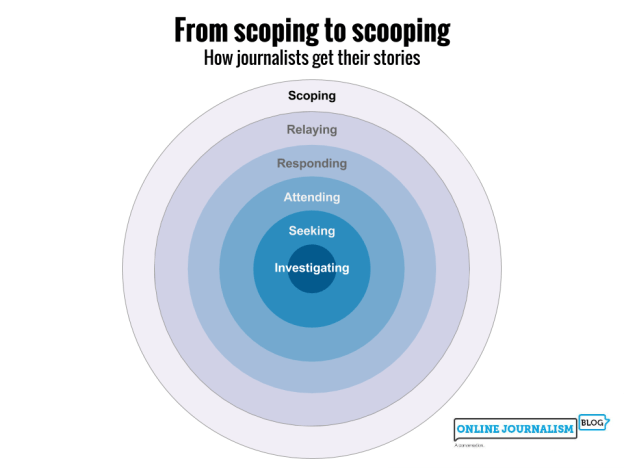
Journalism activities range from scoping out a field through to investigating for ‘scoops’

How do journalists find stories? How do we test whether a story is as good as it could be? How do we get better as journalists?

The image above is my attempt to answer these questions. It maps out the six activities that journalists undertake as part of their workflow, in order of value: from scoping a field or subject, through to relaying information to a wider audience, responding to or attending news events, seeking new information and experiences, and investigating. Continue reading

How to find ‘feeds for leads’ as a journalist

When a journalist gets their first job, or switches role to a new area or specialism, they need to quickly work out where to find useful leads. This often involves the use of feeds, email alerts, and social networks. In this post I’m going to explain a range of search techniques for finding useful sources across a range of platforms. Continue reading

Google’s creepy Allo assistant and our rocky relationship so far

where-do-you-live

After playing with Allo’s chat prompts for those too lazy to write their own texts, I began to play with the in-conversation Google Assistant bot. Here are the highlights:

1. You can use the assistant without giving it permission

Whereas other chat apps like Telegram and Facebook Messenger make it possible to interact with bots, Google is making bots central to Allo. Specifically, the Google Assistant.

When you first open the app you are introduced to the assistant. It wants to help, it says, but it will only do so if you agree to give it a whole bunch of creepy permissions. Until you give it those, it will not answer any questions directly. Continue reading

Hello Allo: the first 12 things I learned about Google’s new chat app

very-true-indeed

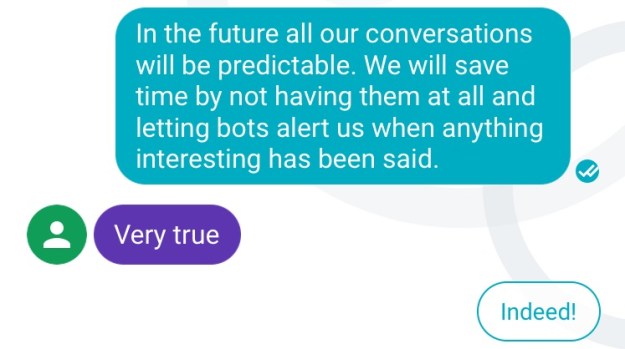
Google’s new chat app Allo is out in the UK, and I’ve been playing around with it.

There are two key artificial intelligence (AI) features that stick out in the app: firstly, the ability to interact with bots (the Google Assistant, which I’ve written about in a second post here), and secondly the way the app suggests responses while you chat.

I took screenshots during my first conversations using the app to see how the AI algorithms were set up before it had begun to learn much from my behaviour. Here are the highlights… Continue reading

Guardian profiles routinely link to PGP keys – why aren’t other news orgs doing this?

guardian-profile

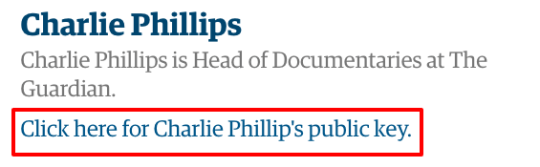
What a pleasant surprise to visit a profile page on The Guardian website and see a big, prominent link to the member of staff’s public key. Is this routine? It seems it is: an advanced search for profile pages mentioning “public key” brings up over 1000 results. Continue reading

FAQ: Cheap readers and the future of local news

Every so often a journalism student sends me questions for an assignment. I publish the answers here in the FAQ series. The latest set comes from a student in Australia writing for Upstart magazine at La Trobe University, and focuses on the local press. 

1. Is the reader not worth as much on the internet?

Readers have always been worth different amounts in different contexts. It’s not that the reader is ‘not worth as much on the internet’, but that most readers on most websites are worth less. Continue reading

How to: fix spreadsheet dates that are in both US and UK formats

640px-Date_format_by_country.svg

This map by Artem Karimov shows which countries use which data formats

It’s quite common when working with Google Sheets to have data set to US format (Month-Day-Year) without realising it. This is because Google will format your dates based on what ‘locale’ or language you have set – and the default is US English.

Instructions on how to change that are here – but what if it’s too late? What if you’ve already inputted or imported data which, when updated to a different format, will make it the wrong date? Continue reading

Snapchat Memories is nothing to do with memories – but it changes everything

Snapchat memories

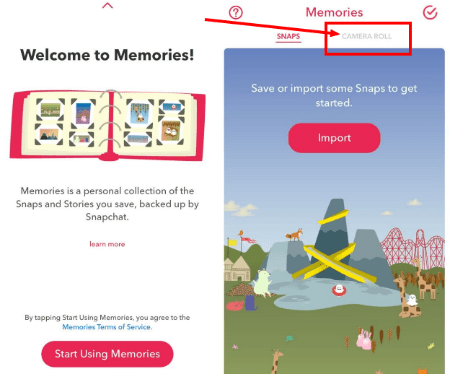
Swipe up from the camera screen to access Snapchat Memories, then tap the camera roll option

Snapchat’s new Memories feature is being pitched as a way to share old snaps and stories — but the real change is what it means for those creating and reporting stories in the tool. Now for the first time Snapchat users can create non-chronological sequences and stories using images or video that they have not taken themselves. Continue reading

All the Chilcot Iraq Inquiry report documents structured by entities and dates

When you’re dealing with documents amounting to 2.6million words spread across over 50 PDFs, you need to do more than just be able to press the CTRL and F keys together.

And yet political journalists across the country will be relying on just that to report on the Chilcot Report into the UK’s involvement in the Iraq war (also known as the Iraq Inquiry) this week.

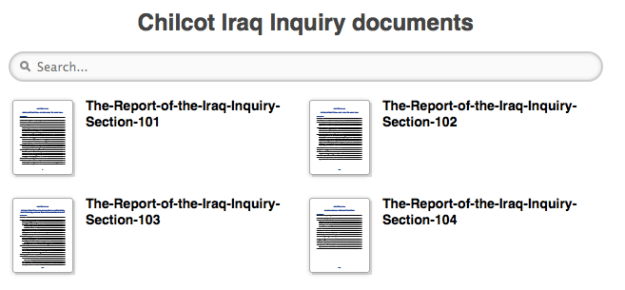
I’ve uploaded all the PDFs to the document analysis service DocumentCloud. You can find them on the site here. You’ll need a DocumentCloud account to see it, but if you haven’t got an account you can also search all 55 documents at the same time in an embedded search I’ve created over on HelpMeInvestigate.

Entities

One of the advantages of using a service like DocumentCloud is ‘entity analysis’. This basically goes through the documents and identifies entities such as people, places, organisations and ‘terms’ (for example: ‘chemical warfare’), treating each type of entity separately and creating a little histogram showing where those entities are mentioned in the document.

To view the documents in this way, you just need to click the ‘Analyze’ button in DocumentCloud and choose the view you want:
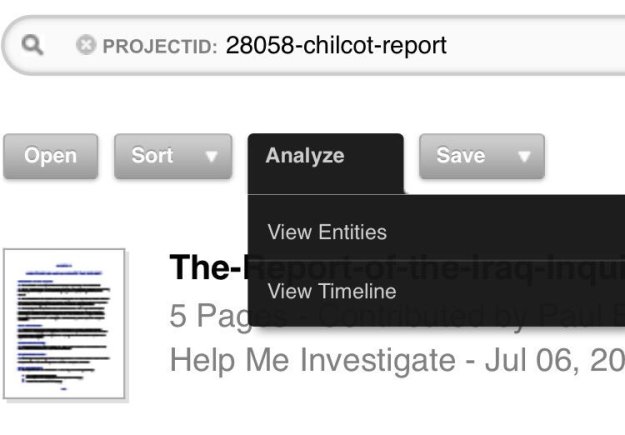
Analyze buttons: view entites or timeline

Click the Analyze button to see the documents by timeline or entities

‘View Entities’ gives you a view like the one shown below:
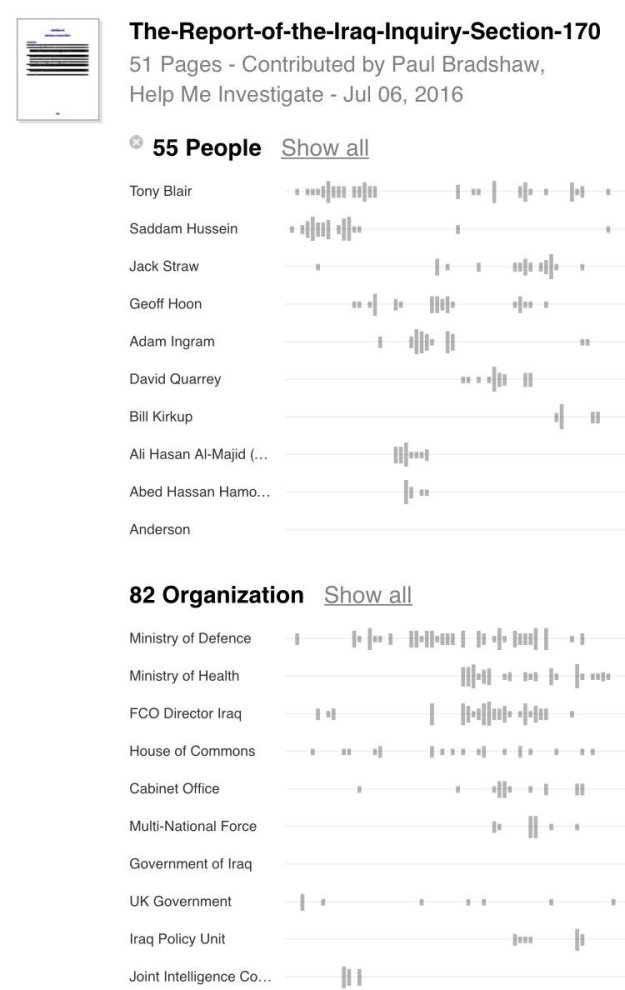
chilcot report on document cloud

In the entity analysis view you can see that the Ministry of Health is mentioned a lot towards the end of this document

If you hover over any of those little bars you should see a popup showing the context within which the entity is mentioned…
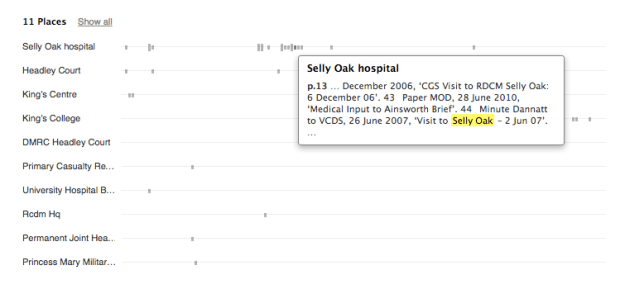
entity popup

Hovering over this bar shows the text surrounding the location identified

And you can click to see the raw text in full:
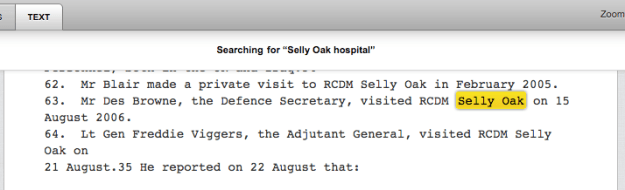
selly oak hospital in context

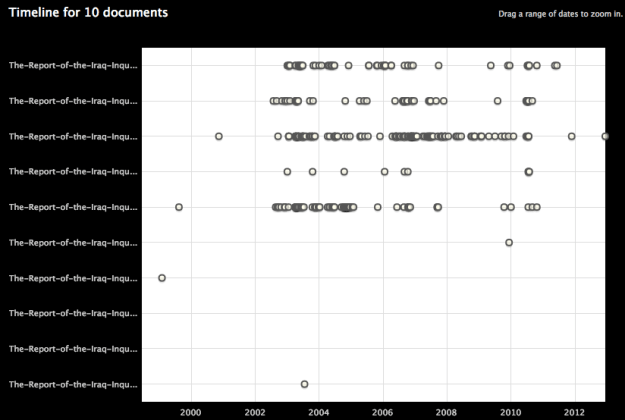
If you choose the Analyze Timeline option DocumentCloud will show you a timeline of events it has identified in the selected documents. This allows you to spot outliers (such as the earliest events in the narrative), clusters, or to zoom into a particular key period.
documentcloud timeline

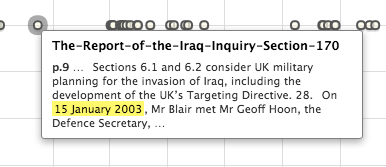
You can click and drag to zoom in. Again by hovering over any point you will see a preview of the context within which a date is mentioned, and can click on that to see the original text in full.
documentcloud zoom timeline

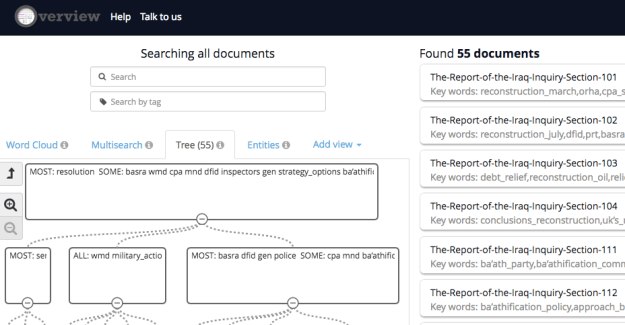
Those are just some of the basic ways in which DocumentCloud makes interrogating documents much quicker. You can also use Overview to analyse it in other ways, but that’s another story…
overview chilcot

How the Chilcot report looks in Overview