Category Archives: data journalism

Tech Tips: Making Sense of JSON Strings – Follow the Structure

Reading through the Online Journalism blog post on Getting full addresses for data from an FOI response (using APIs), the following phrase – relating to the composition of some Google Refine code to parse a JSON string from the Google geocoding API – jumped out at me: “This took a bit of trial and error…”

google-refnie-took-a-bit-of-trial-and-error

Why? Two reasons… Firstly, because it demonstrates a “have a go” attitude which you absolutely need to have if you’re going to appropriate technology and turn it to your own purposes. Secondly, because it maybe (or maybe not…) hints at a missed trick or two…

So what trick’s missing?

Here’s an example of the sort of thing you get back from the Google Geocoder:

{ “status”: “OK”, “results”: [ { “types”: [ “postal_code” ], “formatted_address”: “Milton Keynes, Buckinghamshire MK7 6AA, UK”, “address_components”: [ { “long_name”: “MK7 6AA”, “short_name”: “MK7 6AA”, “types”: [ “postal_code” ] }, { “long_name”: “Milton Keynes”, “short_name”: “Milton Keynes”, “types”: [ “locality”, “political” ] }, { “long_name”: “Buckinghamshire”, “short_name”: “Buckinghamshire”, “types”: [ “administrative_area_level_2”, “political” ] }, { “long_name”: “Milton Keynes”, “short_name”: “Milton Keynes”, “types”: [ “administrative_area_level_2”, “political” ] }, { “long_name”: “United Kingdom”, “short_name”: “GB”, “types”: [ “country”, “political” ] }, { “long_name”: “MK7″, “short_name”: “MK7″, “types”: [ “postal_code_prefix”, “postal_code” ] } ], “geometry”: { “location”: { “lat”: 52.0249136, “lng”: -0.7097474 }, “location_type”: “APPROXIMATE”, “viewport”: { “southwest”: { “lat”: 52.0193722, “lng”: -0.7161451 }, “northeast”: { “lat”: 52.0300728, “lng”: -0.6977000 } }, “bounds”: { “southwest”: { “lat”: 52.0193722, “lng”: -0.7161451 }, “northeast”: { “lat”: 52.0300728, “lng”: -0.6977000 } } } } ] }

The data represents a Javascript object (JSON = JavaScript Object Notation) and as such has a standard form, a hierarchical form.

Here’s another way of writing the same object code, only this time laid out in a way that reveals the structure of the object:

{
  "status": "OK",
  "results": [ {
    "types": [ "postal_code" ],
    "formatted_address": "Milton Keynes, Buckinghamshire MK7 6AA, UK",
    "address_components": [ {
      "long_name": "MK7 6AA",
      "short_name": "MK7 6AA",
      "types": [ "postal_code" ]
    }, {
      "long_name": "Milton Keynes",
      "short_name": "Milton Keynes",
      "types": [ "locality", "political" ]
    }, {
      "long_name": "Buckinghamshire",
      "short_name": "Buckinghamshire",
      "types": [ "administrative_area_level_2", "political" ]
    }, {
      "long_name": "Milton Keynes",
      "short_name": "Milton Keynes",
      "types": [ "administrative_area_level_2", "political" ]
    }, {
      "long_name": "United Kingdom",
      "short_name": "GB",
      "types": [ "country", "political" ]
    }, {
      "long_name": "MK7",
      "short_name": "MK7",
      "types": [ "postal_code_prefix", "postal_code" ]
    } ],
    "geometry": {
      "location": {
        "lat": 52.0249136,
        "lng": -0.7097474
      },
      "location_type": "APPROXIMATE",
      "viewport": {
        "southwest": {
          "lat": 52.0193722,
          "lng": -0.7161451
        },
        "northeast": {
          "lat": 52.0300728,
          "lng": -0.6977000
        }
      },
      "bounds": {
        "southwest": {
          "lat": 52.0193722,
          "lng": -0.7161451
        },
        "northeast": {
          "lat": 52.0300728,
          "lng": -0.6977000
        }
      }
    }
  } ]
}

Making Sense of the Notation

At its simplest, the structure has the form: {“attribute”:”value”}

If we parse this object into the jsonObject, we can access the value of the attribute as jsonObject.attribute or jsonObject[“attribute”]. The first style of notation is called a dot notation.

We can add more attribute:value pairs into the object by separating them with commas: a={“attr”:”val”,”attr2″:”val2″} and address them (that is, refer to them) uniquely: a.attr, for example, or a[“attr2”].

Try it out for yourself… Copy and past the following into your browser address bar (where the URL goes) and hit return (i.e. “go to” that “location”):

javascript:a={"attr":"val","attr2":"val2"}; alert(a.attr);alert(a["attr2"])

(As an aside, what might you learn from this? Firstly, you can “run” javascript in the browser via the location bar. Secondly, the javascript command alert() pops up an alert box:-)

Note that the value of an attribute might be another object.

obj={ attrWithObjectValue: { “childObjAttr”:”foo” } }

Another thing we can see in the Google geocoder JSON code are square brackets. These define an array (one might also think of it as an ordered list). Items in the list are address numerically. So for example, given:

arr[ “item1”, “item2”, “item3” ]

we can locate “item1″ as arr[0] and “item3″ as arr[2]. (Note: the index count in the square brackets starts at 0.) Try it in the browser… (for example, javascript:list=["apples","bananas","pears"]; alert( list[1] );).

Arrays can contain objects too:

list=[ “item1”, {“innerObjectAttr”:”innerObjVal” } ]

Can you guess how to get to the innerObjVal? Try this in the browser location bar:

javascript: list=[ "item1", { "innerObjectAttr":"innerObjVal" } ]; alert( list[1].innerObjectAttr )

Making Life Easier

Hopefully, you’ll now have a sense that there’s structure in a JSON object, and that that (sic) structure is what we rely on if we want to cut down on the “trial an error” when parsing such things. To make life easier, we can also use “tree widgets” to display the hierarchical JSON object in a way that makes it far easier to see how to construct the dotted path that leads to the data value we want.

A tool I have appropriated for previewing JSON objects is Yahoo Pipes. Rather than necessarily using Pipes to build anything, I simply make use of it as a JSON viewer, loading JSON into the pipe from a URL via the Fetch Data block, and then previewing the result:

Another tool (and one I’ve just discovered) is an Air application called JSON-Pad. You can paste in JSON code, or pull it in from a URL, and then preview it again via a tree widget:

Clicking on one of the results in the tree widget provides a crib to the path…

Summary

Getting to grips with writing addresses into JSON objects helps if you have some idea of the structure of a JSON object. Tree viewers make the structure of an object explicit. By walking down the tree to the part of it you want, and “dotting” together* the nodes/attributes you select as you do so, you can quickly and easily construct the path you need.

* If the JSON attributes have spaces or non-alphanumeric characters in them, use the obj[“attr”] notation rather than the dotted obj.attr notation…

PS Via my feeds today, though something I had bookmarked already, this Data Converter tool may be helpful in going the other way… (Disclaimer: I haven’t tried using it…)

If you know of any other related tools, please feel free to post a link to them in the comments:-)

UK Journalists on Twitter

A post on the Guardian Datablog earlier today took a dataset collected by the Tweetminster folk and graphed the sorts of thing that journalists tweet about ( Journalists on Twitter: how do Britain’s news organisations tweet?).

Tweetminster maintains separate lists of tweeting journalists for several different media groups, so it was easy to grab the names on each list, use the Twitter API to pull down the names of people followed by each person on the list, and then graph the friend connections between folk on the lists. The result shows that the hacks are follow each other quite closely:

UK Media Twitter echochamber (via tweetminster lists)

Nodes are coloured by media group/Tweetminster list, and sized by PageRank, as calculated over the network using the Gephi PageRank statistic.

The force directed layout shows how folk within individual media groups tend to follow each other more intensely than they do people from other groups, but that said, inter-group following is still high. The major players across the media tweeps as a whole seem to be @arusbridger, @r4today, @skynews, @paulwaugh and @BBCLauraK.

I can generate an SVG version of the chart, and post a copy of the raw Gephi GDF data file, if anyone’s interested…

PS if you’re interested in trying out Gephi for yourself, you can download it from gephi.org. One of the easiest ways in is to explore your Facebook network

PPS for details on how the above was put together, here’s a related approach:
Trying to find useful things to do with emerging technologies in open education
Doodlings Around the Data Driven Journalism Round Table Event Hashtag Community
.

For a slightly different view over the UK political Twittersphere, see Sketching the Structure of the UK Political Media Twittersphere. And for the House and Senate in the US: Sketching Connections Between US House and Senate Tweeps

A First Quick Viz of UK University Fees

Regular readers will know how I do quite like to dabble with visual analysis, so here are a couple of doodles with some of the university fees data that is starting to appear.

The data set I’m using is a partial one, taken from the Guardian Datastore: Tuition fees 2012: what are the universities charging?. (If you know where there’s a full list of UK course fees data by HEI and course, please let me know in a comment below, or even better, via an answer to this Where’s the fees data? question on GetTheData.)

My first thought was to go for a proportional symbol map. (Does anyone know of a javascript library that can generate proportional symbol overlays on a Google Map or similar, even better if it can trivially pull in data from a Google spreadsheet via the Google visualisation? I have an old hack (supermarket catchment areas), but there must be something nicer to use by now, surely? [UPDATE: ah – forgot this: Polymaps])

In the end, I took the easy way out, and opted for Geocommons. I downloaded the data from the Guardian datastore, and tidied it up a little in Google Refine, removing non-numerical entries (including ranges, such 4,500-6,000) in the Fees column and replacing them with minumum fee values. Sorting the fees column as a numerical type with errors at the top made the columns that needed tweaking easy to find:

The Guardian data included an address column, which I thought Geocommons should be able to cope with. It didn’t seem to work out for me though (I’m sure I checked the UK territory, but only seemed to get US geocodings?) so in the end I used a trick posted to the OnlineJournalism blog to geocode the addresses (Getting full addresses for data from an FOI response (using APIs); rather than use the value.parseJson().results[0].formatted_address construct, I generated a couple of columns from the JSON results column using value.parseJson().results[0].geometry.location.lng and value.parseJson().results[0].geometry.location.lat).

Uploading the data to Geocommons and clicking where prompted, it was quite easy to generate this map of the fees to date:

Anyone know if there’s a way of choosing the order of fields in the pop-up info box? And maybe even a way of selecting which ones to display? Or do I have to generate a custom dataset and then create a map over that?

What I had hoped to be able to do was use coloured proportional symbols to generate a two dimensional data plot, e.g. comparing fees with drop out rates, but Geocommons doesn’t seem to support that (yet?). It would also be nice to have an interactive map where the user could select which numerical value(s) are displayed, but again, I missed that option if it’s there…

The second thing I thought I’d try would be an interactive scatterplot on Many Eyes. Here’s one view that I thought might identify what sort of return on value you might get for you course fee…;-)

Click thru’ to have a play with the chart yourself;-)

PS I can;t not say this, really – you’ve let me down again, @datastore folks…. where’s a university ID column using some sort of standard identifier for each university? I know you have them, because they’re in the Rosetta sheet… although that is lacking a HESA INST-ID column, which might be handy in certain situations… 😉 [UPDATE – apparently, HESA codes are in the spreadsheet…. ;-0]

PPS Hmm… that Rosetta sheet got me thinking – what identifier scheme does the JISC MU API use?

PPPS If you’re looking for a degree, why not give the Course Detective search engine a go? It searches over as many of the UK university online prospectus web pages that we could find and offer up as a sacrifice to a Google Custom search engine 😉

Twitter & DataSift launch live social data services for under £1 (useful)

Journalists with an interest in realtime data should keep an eye on a forthcoming service from DataSift which promises to allow users to access a feed of Twitter tweets filtered along any combination of over 40 qualities.

In addition – and perhaps more interestingly – the service will also offer extra context:

“from services including Klout (influence metrics), PeerIndex (influence), Qwerly (linked social media accounts) and Lexalytics (text and sentiment analysis). Storage, post-processing and historical snapshots will also be available.”

The pricing puts this well within the reach of not only professional journalists but student ones too: for less than 20p per hour (30 cents) you will be able to apply as many as 10,000 keyword filters.

ReadWriteWeb describe a good example of how this may work out journalistically:

“Want a feed of negative Tweets written by C-level execs about any of 10,000 keywords? Trivial! Basic level service, Halstead says! Want just the Tweets that fit those criteria and are from the North Eastern United States? That you’ll have to pay a little extra for.”

All the news that’s fit to scrape

Channel 4/Scraperwiki collaboration

There have been quite a few scraping-related stories that I’ve been meaning to blog about – so many I’ve decided to write a round up instead. It demonstrates just the increasing role that scraping is playing in journalism – and the possibilities for those who don’t know them:

Scraping company information

Chris Taggart explains how he built a database of corporations which will be particularly useful to journalists and anyone looking at public spending:

“Let’s have a look at one we did earlier: the Isle of Man (there’s also one for Gibraltar, Ireland, and in the US, the District of Columbia) … In the space of a couple of hours not only have we liberated the data, but both the code and the data are there for anyone else to use too, as well as being imported in OpenCorporates.”

OpenCorporates are also offering a bounty for programmers who can scrape company information from other jurisdictions.

Scraperwiki on the front page of The Guardian…

The Scraperwiki blog gives the story behind a front page investigation by James Ball on lobbyist influence in the UK Parliament: Continue reading

Getting full addresses for data from an FOI response (using APIs)

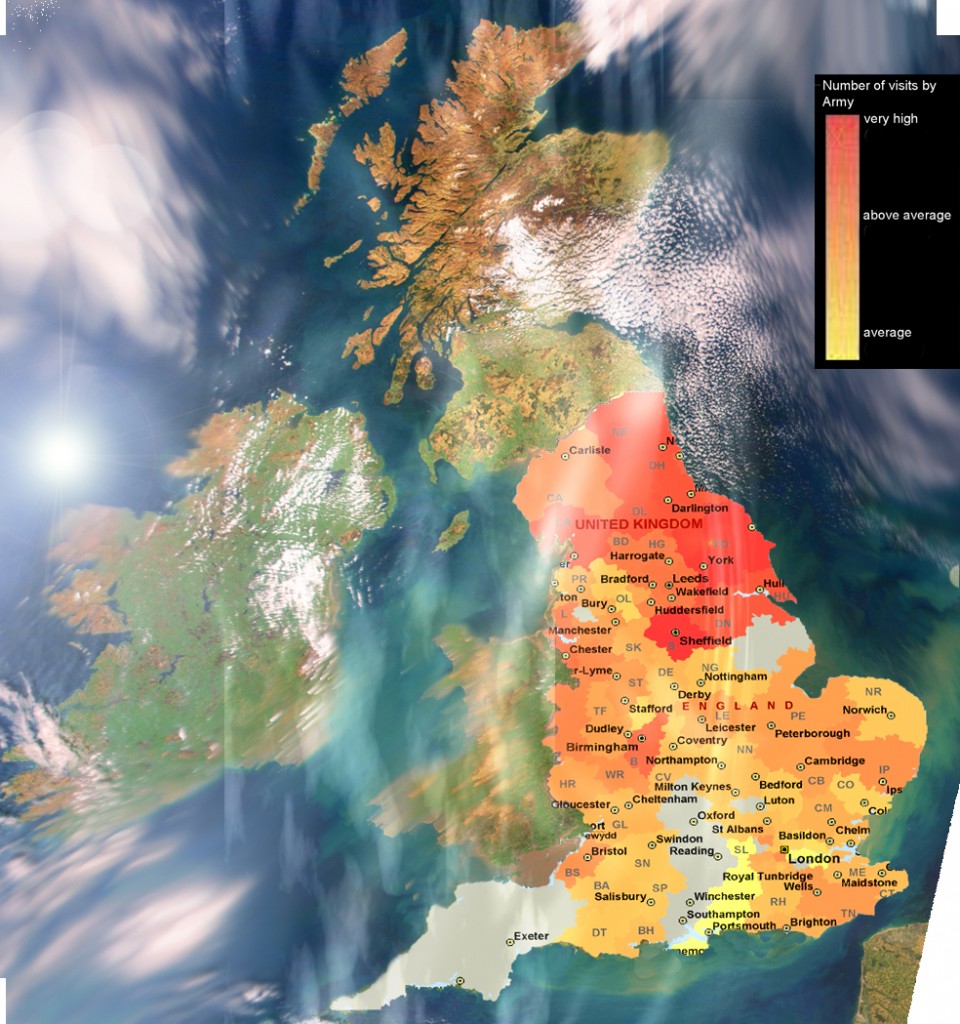
heatfullcolour11-960x1024

Here’s an example of how APIs can be useful to journalists when they need to combine two sets of data.

I recently spoke to Lincoln investigative journalism student Sean McGrath who had obtained some information via FOI that he needed to combine with other data to answer a question (sorry to be so cryptic).

He had spent 3 days cleaning up the data and manually adding postcodes to it. This seemed a good example where using an API might cut down your work considerably, and so in this post I explain how you make a start on the same problem in less than an hour using Excel, Google Refine and the Google Maps API.

Step 1: Get the data in the right format to work with an API

APIs can do all sorts of things, but one of the things they do which is particularly useful for journalists is answer questions. Continue reading

Leaks on demand – how the Wikileaks cables are being used

From a leak to a flood

Image by markhillary on Flickr

I’m probably not the only person to notice a curious development in how the Wikileaks material is being used in the press recently. From The Guardian and The Telegraph to The New York Times and The Washington Post, the news agenda is dictating the leaks, rather than the other way around.

It’s fascinating because we are used to seeing leaks as precious journalistic material that forms the basis of some of our best reporting. But the sheer volume of Wikileaks material – the vast majority of which still remains out of the public domain – has turned that on its head, with newsrooms asking: “Do the leaks say anything on Libya/Tunisia/Egypt?”

When they started dealing with Wikileaks data some newsrooms built customised databases to allow them to quickly find relevant documents. Recent events have proved that – not to mention the recruitment of staff who can quickly interrogate that data – to be very wise.

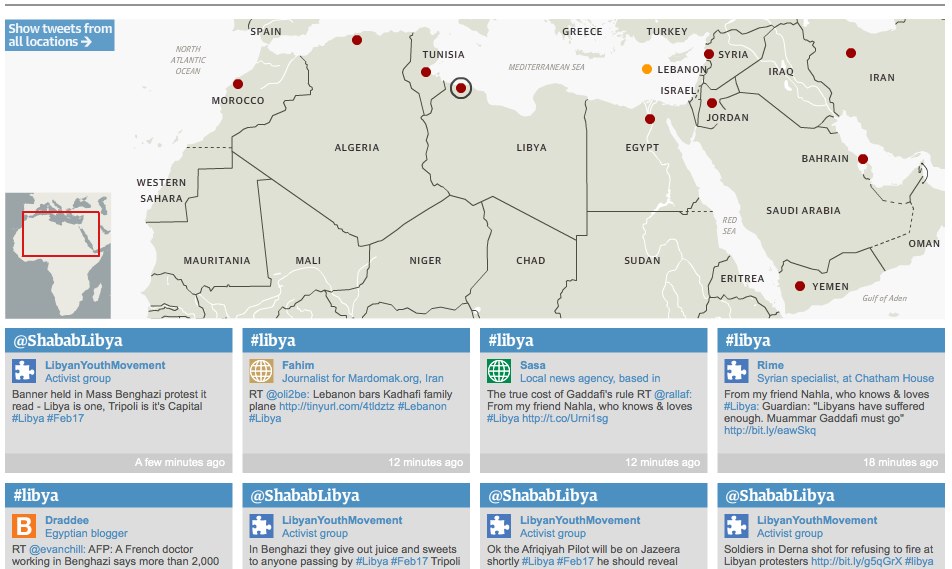
Matt Wells on The Guardian’s interactive protests Twitter map

Twitter network of Arab protests - interactive map | guardian.co.uk

Twitter network of Arab protests – interactive map | guardian.co.uk

The Guardian have published an impressive map displaying Twitter coverage of protests around the Arab world and the Middle East. I asked Matt Wells, who oversaw the project, to explain how it came about.

The initial idea, which I should credit to deputy editor Ian Katz, was to build something that showcased the tweets of our correspondents, along a broader network of vetted tweeters in different countries. We wanted to connect all of these on a map, so you could click on a country and see relevant live-updating tweets.

I was asked to oversee it. The main thing was to check out the best English-language tweeters in each country – preferably people who appeared reliable, who were involved in first-hand reporting themselves, and who did a lot of retweeting of others.

I started by asking our correspondents who they followed, then broadened it out from there. We asked everyone if they minded being included – we had one refusal from a Tweeter in a particularly authoritartian country who was worried about the exposure. Everyone else thought it was a great idea.

Meanwhile one of our developers, Garry Blight, overseen by Alastair Dant, set about building it. As with anything of this kind, it took a bit longer than orginally anticipated, but we had it ready on the day that Mubarak fell. And brilliantly, it has worked for every country since then.

It’s powered by a Google spreadsheet – so it’s really easy to add new people and to attach them to particular countries or search terms.

And it should be very easily adaptable for other news events around the world.

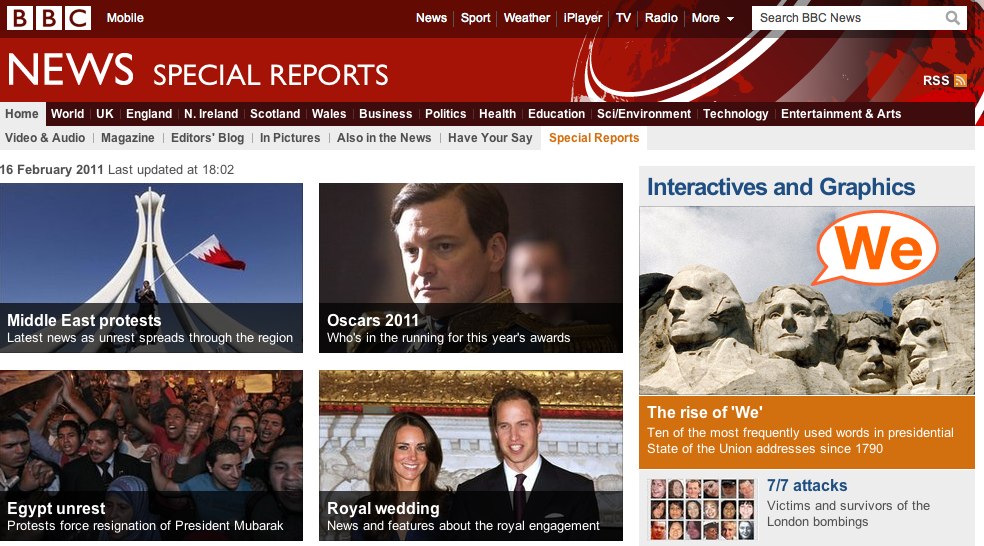
Bella Hurrell on data journalism and the BBC News Specials Team

BBC_Special_ReportsBella Hurrell is the Specials Editor with BBC News Online. I asked her how data journalism was affecting their work for a forthcoming article. Here is her response in full:

The BBC news specials team produces multimedia interactives, daily graphics as well as more complex data visualisations. The team consists of journalists, designers and developers all working closely together, sitting alongside each other.

We have found that proximity really important to the success of projects. Although we have done this for a while, increasingly other organisations are reorganising along these lines after coming to realise the benefits of breaking down silos and co-locating people with different skillsets can produce more innovative solutions at a faster pace.

As data visualisation has come into the zeitgeist, and we have started using it more regularly in our story-telling, journalists and designers on the specials team have become much more proficient at using basic spreadsheet applications like Excel or Google Docs. We’ve boosted these and other skills through in house training or external summer schools and conferences.

Data as a service, data as a story

There are two interrelated elements to data journalism: firstly data as a service, often involving publicly available data.  The school league tables which the BBC news website has produced every year for over a decade are an example here. We know they are hugely popular and they provide a valuable public service for users. More recently the government has started to get better at putting data / information  online, so we have adjusted our coverage. Instead of replicating what is done by government sites (such as providing individual school pages) we try to provide value by doing something extra, such as mini charts and the ability to select and compare schools – as well as news stories and analysis.

The second element is data as a story. The simple fact that loads of data has been published is not really very interesting to most people. Data is only useful if it is personal – I want to find out about schools in my area, restaurants near me and so on – or when it reveals something remarkable. The duck pond debacle from MPs expenses data or the Iraq civilian death records kept by the US revealed by Wikileaks’ release of the Iraq war documents are both examples of individual stories from big tranches of data that really resonated.

Dealing with large numbers of documents

With data stories that involve thousands of documents we face two challenges. Firstly deciding whether we can provide a platform or tool for people to look at the documents or data. This can be valuable but might involve significant technical resources and may not be worth doing if others are already providing this service.

Secondly we need to find the stories and then report them but clearly that can be tricky when there are thousands of documents to examine. Crowdsourcing is an obvious approach but we need to use what the crowd tells us. When readers told us about potential stories they spotted in the MPs expenses data we pulled in our whole politics team off normal duties to sift users’ questions and put them directly to the relevant MPs. Then we published their answers on our site. This is a very resource heavy approach and not sustainable over a long time.

Another model for reporting stories that involve large sets of data was Panorama’s public sector pay story, where the website partnered with the investigative unit to tell the story online. The Panorama team spent months collecting data and we provided simple visualisations and  a way for users to examine the data.