Author Archives: Paul Bradshaw

“Don’t be afraid: keep them afraid” and other notes from the Logan Symposium on surveillance’s first day

Don't be afraid. But keep them afraid.

Seymour’s parting advice to young journalists: maintain a watchdog role and hold power to account

On Friday I was at the Logan Symposium on secrecy, surveillance and censorship, an event which, as is often the case with these things, managed to be inspiring, terrifying, and confusing in equal measure.

Notably, Director of the Centre for Investigative Journalism Gavin MacFadyen opened the day by talking about investigative journalists and hackers together.

It is common to hear attacks on journalists mentioned at these events, but rare to hear an old-fashioned hack like MacFadyen also talk about the “growing number of hackers being imprisoned”, while noting the commonalities of a desire for a free press, free speech, and “a free internet”. Continue reading

Help Me Investigate: rip it up and start again (but I’ll still help you investigate)

Help Me Investigate

I’m stopping Help Me Investigate, my collaborative investigation project. It’s time to rip it up and start again.

This year has seen the launch of a number of impressive crowdfunded and crowdsourced projects on platforms including Beacon and Contributoria – plus OpenCorporates Missions and the enormously impressive Bellingcat. Their rise, for me, confirms that there is no longer a need for the original mission that Help Me Investigate took on way back in 2009. Continue reading

How do you find useful Twitter accounts? 5 tips for journalists

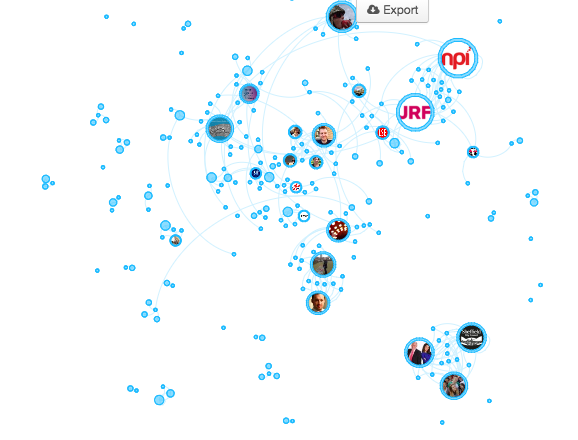
twitter network bluenose

A Twitter network identified by Bluenose

A version of this post originally appeared on Help Me Investigate Welfare.

Every so often on Help Me Investigate we compile a list* of people on Twitter to follow on particular issues. Here’s how we do it:

1. Search Twitter biographies only

The quickest way to kick off your Twitter list is to search Twitter biographies for users who mention the areas you’re interested in.

Twitter tool FollowerWonk has a facility for searching biographies on the site – make sure you select “search Twitter bios only” from the drop-down menu. Continue reading

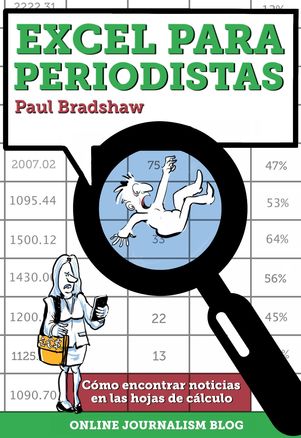
Próximamente “Excel para periodistas” en español

“Excel para periodistas”, la versión en español de mi libro “Finding Stories in Spreadsheets”, estará listo en las próximas semanas.

La traducción está a cargo de Bárbara Maseda. Pueden registrarse en la página del libro digital para recibir un aviso cuando se publique.

Spanish version of ‘Excel for Journalists’ on the way


A Spanish version of Finding Stories in Spreadsheets – titled ‘Excel para periodistas’ (Excel for Journalists) – should be available in the next few weeks.

The translation is being done by Barbara Maseda. If you want to know when it’s going to be available you can register to be informed on the book page.

The Government wants to know where you were online, when. Why journalists should be cautious


tor https infographic

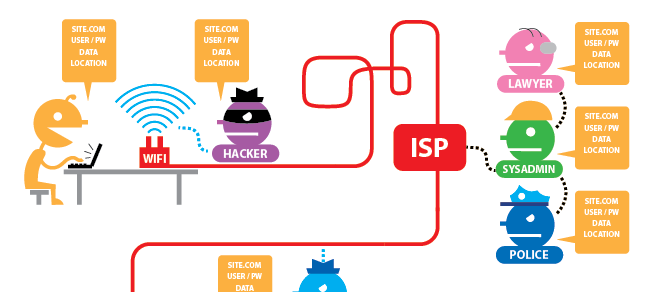
The EFF have an interactive graphic which shows you what information can be grabbed when you’re using Tor or HTTPS

Home secretary Theresa May wants to be able to connect IP addresses (which identify machines) with users (those using it at that particular time).

In a nutshell this means being able to identify whether you were in a particular place at a particular time – only the ‘place’ in question happens to be virtual: a website.

Now clearly this is aimed at identifying terrorists and paedophiles. But then so was RIPA, a law which has been used to spy on journalists and intimidate staff who speak to them and to “pull reporters’ phone records in every single leak inquiry in the last ten years“, including all calls to the Sun’s newsdesk and by their political editor in one inquiry.

In recent weeks we have heard about prison officials monitoring confidential phonecalls between MPs and prisoners, and between lawyers and their clients. Continue reading

Watch: why every publisher should switch to HTTPS (and you should too)

This video, from this year’s Google I/O conference, is one of the best explanations I’ve seen on HTTPS with regard to publishers.

It’s worth watching for five minutes or so to get an insight into why HTTPS is so important not just in protecting users, but also in protecting your own reputation.

HTTPS protects users because it prevents others from seeing what sites they visited before and after yours, and what pages they’re looking at on your site.

Imagine a whistleblower checking your site or profile out, or indeed one of your own journalists visiting it using hotel or coffee shop wifi, and you have an idea what I mean.

But HTTPS also prevents hackers from impersonating your site in order to collect user data. I imagine most publishers will be more concerned with their customers than their sources.

For journalists who suddenly realise that their web browsing is public information, I recommend the browser plugin HTTPS Everywhere, which turns on HTTPS by default (where sites support it) in Chrome, Firefox, Firefox on Android, or Opera.

Is This The Beginning Of The End For The UK Headline?

Until recently a journalism trainer in the UK could safely berate a trainee for Writing Headlines Where Every Word Began With A Capital.

It is a style of headline writing common in US publications, but non-existent in the UK, where newspapers have traditionally fit into one of two camps: the SHOUTY SHOUTY REDTOPS and the broadsheets who Only make the first letter uppercase unless there’s a proper noun.

(The mid-markets, as might be expected, took the best of both worlds, reserving shouting for the front pages and lower case for the inside pages).

So a journalism trainee who Wrote Like This had likely never paid much attention to newspapers, or only when they appeared in Hollywood films.

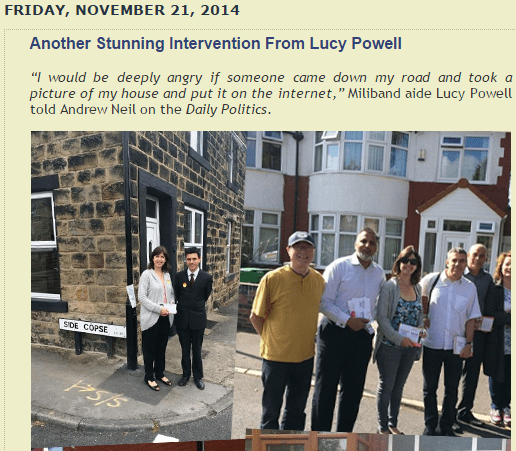
Or perhaps they just read Guido Fawkes, who, for whatever reason appears to have followed the Hollywood style of headline writing:

Guido Fawkes headlines

Guido Fawkes’s headlines adhere to the US style


Continue reading

Why I have a problem with Google’s crowdfunding tool Contributor – a tweet story

HOW TO: Find out the ages of people using Excel

excel for journalists ebook

This post is taken from the ebook Finding Stories With Spreadsheets

“How do I calculate an age in Excel?” Marion Urban, a French journalist and student on the MA in Online Journalism in Birmingham, was preparing data for the forthcoming UK General Election.

In order to do this Marion had downloaded details on the candidates who had stood successfully in the previous election.

“It was a very young intake. But it wasn’t easy to calculate their ages.”

Indeed. You would think that calculating ages in Excel would be easy. But there is no off-the-shelf function to help you do so. Or at least, no easy-to-find function.

Instead there are a range of different approaches: some of them particularly, and unnecessarily complicated.

In this extract from Finding Stories in Spreadsheets I will outline one approach to calculating ages, which also illustrates a useful technique in using spreadsheets in stories: the ability to break down a problem into different parts. Continue reading